

7 Steps to Integrate Biometric Locks With Business Security
Last Updated: October 25, 2026
Quick Summary
Integrating biometric locks business security requires assessing your current infrastructure, selecting between fingerprint and facial recognition authentication, planning a five-layer architecture, installing hardware with network connectivity, configuring user permissions and audit trails, testing all failure modes, and scheduling ongoing maintenance. This systematic approach ensures your biometric locks, surveillance, alarms, and access management work together as a unified system.
Biometric locks use fingerprint or facial recognition instead of keys and integrate with surveillance, alarms, and cloud platforms for unified entry management.
Choose fingerprint for stable daily workforces and facial recognition for high-traffic areas; both methods provide audit trails showing who accessed restricted areas and when.
Plan your five-layer architecture before buying hardware: credential capture, decision and door control, door hardware and power, management software, and monitoring integration.
Test false acceptance rate, false rejection rate, entry latency, uptime, audit-log completeness, and credential revocation time against written acceptance criteria before go-live.
Maintain biometric locks monthly by cleaning sensors, reviewing access logs, and testing backup power; replace batteries annually and audit for vulnerabilities.
Table of Contents
Understanding Biometric Locks and Business Security Integration
Step 1: Assess Your Current Security Infrastructure and Access Needs
Step 2: Choose Between Biometric Access Control Integration and Key Card Systems
Step 3: Plan Your Biometric Access Control Integration Architecture
Step 4: Install Commercial Smart Lock Hardware and Network Connectivity
Step 5: Configure Biometric Lock Security Best Practices and Credential Management
Understanding Biometric Locks and Business Security Integration
Biometric locks are electronic door systems that use fingerprint, facial recognition, or other biological markers instead of keys. Integrated with your business security infrastructure, biometric locks business security solutions create a unified entry management system that tracks who enters and exits. Explore the broader landscape of commercial security systems to understand how biometric locks fit into your overall security strategy.
At Bay Safe and Lock, we provide comprehensive locksmith and security solutions for residential, commercial, and industrial properties in Plant City. Our team brings over a decade of hands-on experience to integrating biometric authentication into existing setups. The challenge isn't the technology, it's planning the integration so locks, surveillance, alarms, and cloud access management work together.
This guide covers seven steps: assessment, hardware selection, architecture planning, installation, configuration, testing, and maintenance.
Step 1: Assess Your Current Security Infrastructure and Access Needs
Walk through your facility and note every door requiring access control, count authorized users, and identify restricted areas: server rooms, cash handling, sensitive documents, medication storage.
Review your existing cameras, alarms, cloud access control platform, and key management, these determine how new biometric locks connect to the rest of your system.
Ask yourself these questions:
How many entry points need biometric access control?
How many employees, contractors, or visitors need access?
Which areas require audit trails showing who accessed them and when?
Step 2: Choose Between Biometric Access Control Integration and Key Card Systems
Biometric locks offer two primary authentication methods: fingerprint and facial recognition. Each has trade-offs.
Fingerprint-based biometric locks are fast, need no extra hardware, and can't be forgotten. The downside: gloves, dirt, or age-related skin changes cause failures.
Facial recognition locks capture face geometry and work through gloves and masks with no contact.
Key card or PIN systems don't use biometrics. Learn how to choose the right commercial locks for your business based on ANSI grades, lock types, and your specific security needs.
Your choice depends on three factors:
User base stability: Stable, daily users favor fingerprint. High turnover or visitor traffic favor facial recognition or cards.
Environment: Outdoor or dirty environments favor facial recognition. Clean indoor offices work well with fingerprint.
Regulatory requirements: Healthcare and financial services often require audit trails showing exactly who accessed restricted areas. All three methods provide this.
Step 3: Plan Your Biometric Access Control Integration Architecture
Before you buy hardware, sketch out how everything connects.
The five functional layers. A commercial biometric access control system is built from five layers. Each layer has a defined job, and each interface between layers is where integrations succeed or fail.
Layer 1: Credential capture (the reader). The reader captures a fingerprint, face, or iris image and converts it to a template.
Layer 3: Door hardware and power. The lock, strike, or maglock; request-to-exit device; door position switch; and power supply with battery backup.
Layer 5: Monitoring and integration. VMS, alarm panels, and PSIMs consume access events.
A practical deployment sequence. Don't install locks first and figure out software later:
Inventory and classify doors. For each opening, record interior/exterior, fire rating, traffic volume, existing hardware, and audit-trail needs, this drives reader type, controller capacity, and power.
Select the management platform first. The platform determines supported controllers and readers; choosing locks first often locks you into an unwanted platform.
Size controllers for door count plus 20-30% headroom. Running at 100% leaves no room for expansion.
Confirm reader-to-controller protocol and encryption. Prefer OSDP Secure Channel over Wiegand for new installs.
Design the network. Put controllers and readers on a dedicated access control VLAN, not the general office network. Document IP ranges, switch ports, and PoE budgets.
Install door hardware and power. Verify fail-safe/fail-secure behavior and fire-alarm release before connecting to the network.
Commission controllers and readers. Enroll a test user, verify grant/deny, and confirm door-held-open and forced-door events reach the platform.
Integrate monitoring. Connect the VMS and alarm panel, then verify event-to-video association and alarm forwarding.
Migrate users and cut over. Run in parallel with legacy credentials for a defined window, then revoke legacy credentials on a scheduled date.
Interoperability checklist. Get written answers to these before signing a purchase order:
Which reader protocols does the controller support (OSDP, Wiegand, proprietary)?
Does the platform expose a documented REST API, webhooks, or both?
What credential formats are supported (card formats, mobile credentials via NFC or BLE, biometric templates)?
Watch Out Many businesses buy biometric locks and access control platforms from different vendors, then discover they don't communicate. Confirm compatibility in writing before purchasing. Ask vendors directly: "Does your platform integrate with [surveillance system name]?" and "Can we pull audit logs into our security monitoring dashboard?" A verbal "yes" is not a specification.
Step 4: Install Commercial Smart Lock Hardware and Network Connectivity
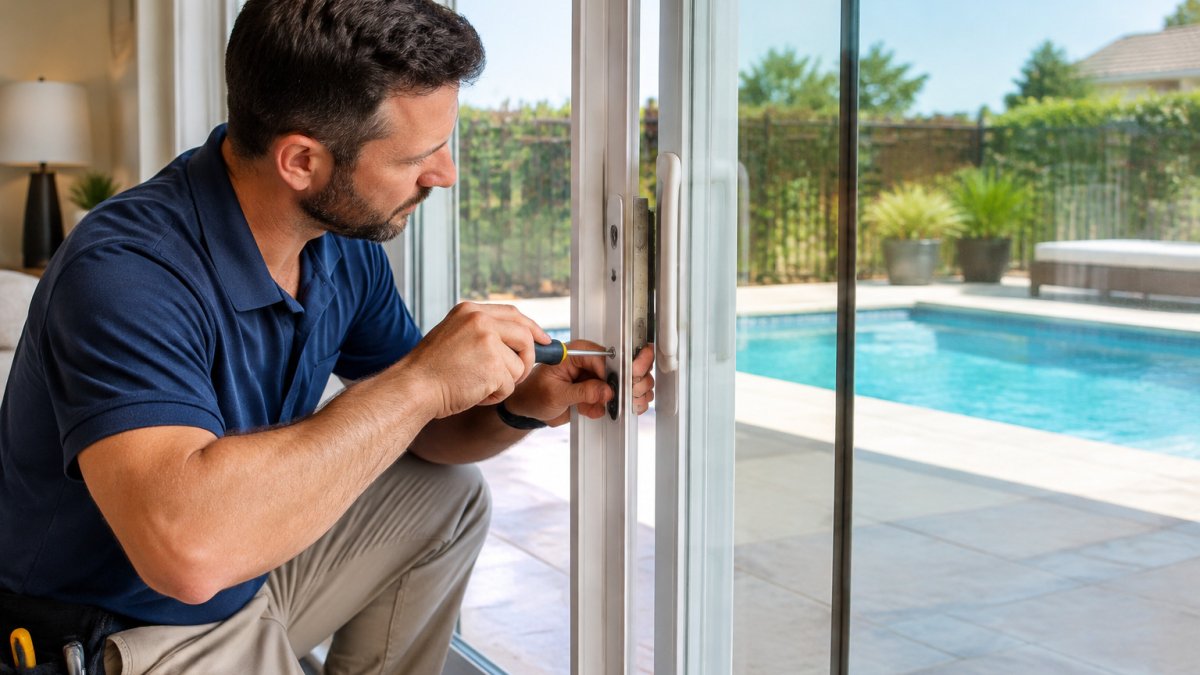
Installation is where most integrations succeed or fail.

Network connectivity is equally critical. Each lock needs a reliable connection to the access control panel.
Backup power is non-negotiable. If a biometric lock loses power, authorized users get locked out.
Door hardware compatibility matters. Your biometric lock must work with the existing door closer, exit device, and frame.
Step 5: Configure Biometric Lock Security Best Practices and Credential Management
Once hardware is installed and networked, configuration determines whether your system is secure or vulnerable.
User enrollment comes first. Collect clean, high-quality scans, poor enrollment data causes authentication failures.
Access permissions define who can access which doors and when.
Audit trails record every access attempt: successful entries, failures, manual overrides, permission changes.
Credential management includes password policies for your cloud platform, multi-factor authentication for administrators, and regular password changes.
Watch out: Biometric data is sensitive.
Step 6: Test, Audit, and Plan for Failure Modes
Before you declare the system live, test every scenario. Partial testing misses critical gaps.
Define acceptance criteria before you test. Agree on pass/fail thresholds with your integrator in writing. Practical KPIs most commercial deployments can adopt:
False acceptance rate (FAR): the share of unauthorized attempts the system wrongly grants. For business access control, a common target is well under 0.1% at the chosen security setting; consumer-grade fingerprint sensors are often an order of magnitude worse. Confirm the vendor's published FAR at the security level you will actually run, not the marketing default.
False rejection rate (FRR): the share of authorized attempts the system wrongly denies. High FRR drives users to prop doors or share credentials, which defeats the system. Test with real users, including people with worn fingerprints, gloves, or glasses.
Entry latency: time from credential presentation to unlock. Under about one second is the usual expectation for fingerprint; facial recognition is often one to two seconds depending on lighting and distance.
Functional testing. Each authorized user attempts access at each assigned door, across different times and lighting.
Integration testing. Trigger a door access and verify it appears in surveillance with the correct timestamp and camera.
Cybersecurity and failure-mode testing. This is where most deployments are weakest. Test each of the following and record the result:
Network segmentation: confirm readers and controllers are on a dedicated VLAN with no route to the general office network or the internet except through the management platform. Attempt to reach a controller from a general-purpose workstation; it should fail.
Device authentication: confirm controllers and readers authenticate to the platform with unique credentials or certificates, not a shared default password. Change every default credential before go-live.
Firmware update path: verify you can push a firmware update to a controller and a reader, and that the update is signed or otherwise authenticated. Confirm the vendor's end-of-support date for each model.
Load testing. With 50+ users, test simultaneous access attempts at peak times (shift change, opening).
Key Takeaway Document every test result with the date, the tester, the expected result, and the actual result. If something fails, don't go live, fix it and retest. A failed test now prevents a security breach or access lockout later, and the test record is what you show an auditor or insurer when they ask how you validated the system.
Step 7: Schedule Maintenance and Monitor Access Logs
Biometric locks require ongoing maintenance.
Monthly: clean biometric sensors and camera lenses, review access logs for unusual patterns, test backup power.
Annual: replace backup batteries, audit the system for vulnerabilities, review privacy compliance, retest all failure modes.
A well-maintained system is a secure one. Neglected biometric locks become unreliable, pushing users to workarounds, propped doors, shared credentials, that undermine security.
Keep your biometric locks secure and reliable with a regular maintenance schedule.
Maintenance Task | Frequency | What to Check |
Clean sensors and camera lenses | Monthly | Biometric readers and facial recognition cameras |
Review access logs | Monthly | Unusual patterns or unauthorized attempts |
Test backup power | Monthly | Battery functionality and door lock operation |
Verify lock communication | Quarterly | All locks connect to the access control panel |
Check battery health | Quarterly | Backup battery condition and capacity |
Review user permissions | Quarterly | Remove former employees, add new hires |
Replace backup batteries | Annual | Battery age and performance degradation |
Audit system vulnerabilities | Annual | Security gaps and compliance issues |
Moving Forward With Your Integration
Integrating biometric locks business security solutions isn't a one-time project, it's an ongoing commitment to security and usability.
Bay Safe and Lock provides comprehensive locksmith and security solutions for residential, commercial, and industrial properties in Plant City.
If you're ready to move forward, contact us for a professional assessment of your facility's security needs and a customized integration plan tailored to your business.
Frequently Asked Questions
How do you integrate biometric locks with an existing access control system?
Integration requires three core steps: first, audit your current access control infrastructure to confirm it supports biometric authentication protocols (typically OSDP or Wiegand); second, install biometric lock hardware with compatible cloud-based access management software; third, map user credentials and permissions in the central management console, then test entry from multiple authentication methods. Most commercial systems require a network connection (wired or Wi-Fi) and a backup power supply. Bay Safe and Lock can assess your existing system and recommend compatible hardware to avoid costly replacements.
Are biometric locks secure enough for commercial buildings?
Biometric locks offer strong security when properly configured. Fingerprint and facial recognition provide unique authentication that cannot be duplicated like key cards or PINs. However, security depends on system design: ensure your biometric lock integrates with an audit trail that logs every access attempt, connects to surveillance systems for visual verification, and includes fallback authentication (PIN or card) for emergencies. Cybersecurity is equally critical, use cloud-based access control with encrypted data transmission and regular firmware updates. Biometric locks are most effective as part of a layered security strategy, not as a standalone solution.
What should a business consider before installing biometric door locks?
Before installation, evaluate five factors: total cost of ownership (hardware, software, installation, training, and ongoing maintenance), integration compatibility with your existing access control and surveillance systems, privacy and consent policies (employees must understand biometric data collection and storage), cybersecurity readiness (network security, backup power, encryption), and fallback access procedures (what happens if the system fails or a user cannot authenticate). Also confirm that your facility layout supports the required network connectivity and that your team can manage user credentials and access permissions. Bay Safe and Lock can guide you through this assessment and recommend a phased deployment approach.
What happens if a biometric lock loses power or cannot recognize a user?
Failure-mode planning is essential. Most commercial biometric locks include battery backup (typically 24-48 hours) and a manual override PIN code for emergency access. If the system cannot recognize a user, the lock should prompt for an alternative authentication method (PIN, card, or phone-based verification). Establish a clear escalation procedure: notify facility management immediately, document the failure in your audit trail, and contact your locksmith or security provider for troubleshooting. Never rely solely on biometric authentication; always maintain a secondary access method and test your fallback procedures regularly to ensure they work under stress.
NEED AN ESTIMATE FOR YOUR PROJECT? CLICK HERE
Add baisafe.biz as a preferred source on Google →


Comments